

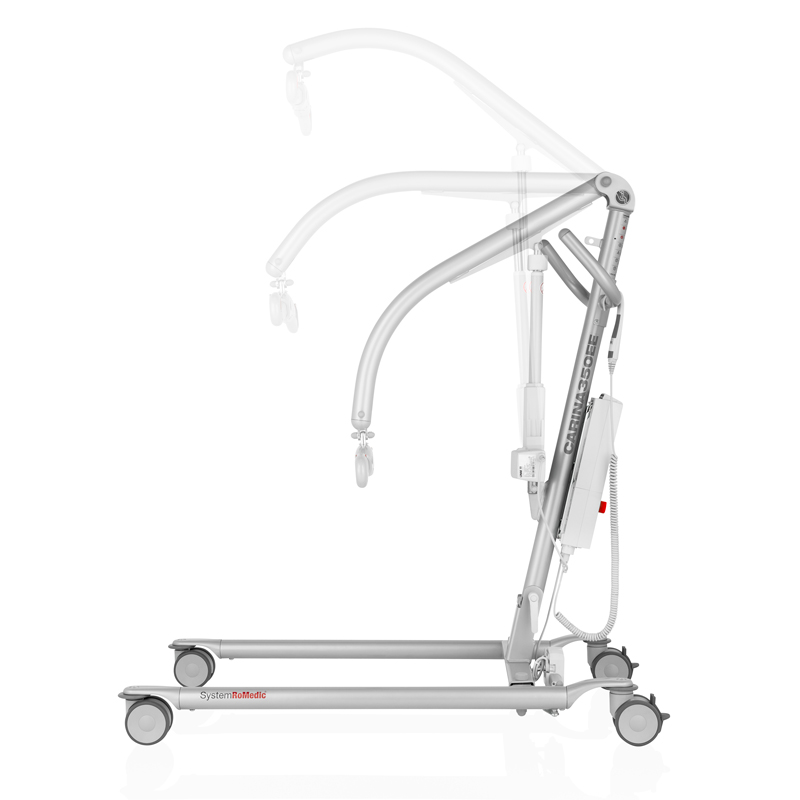
Description
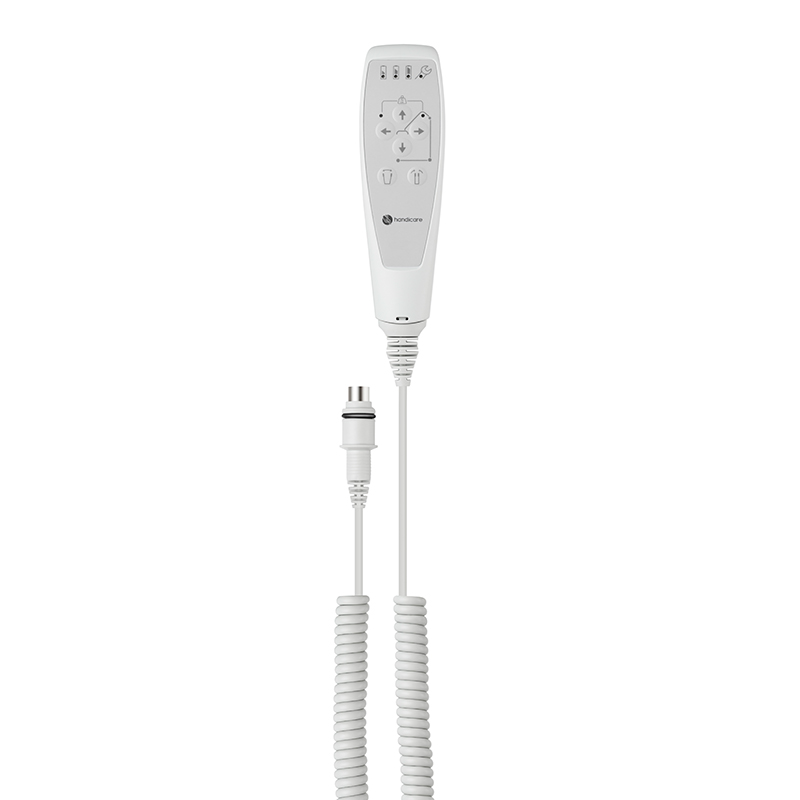
The Handicare Hand Control HB33-6 is Handicare's six-button pendant for its SystemRoMedic patient lifts, manufacturer code 70200089, with service, battery status and overload indicators. It drives the lift arm up and down, opens and closes the electrical base widening, and adds fine adjustment of the arm position. Westin Healthcare ships it across Canada and our technicians can fit it on a service visit across Brampton and the Greater Toronto Area.
The indicators are the point. A plain hand control moves the lift. This one also tells the caregiver, before the transfer starts, whether the battery will hold up, whether the lift is due for service, and whether it has been overloaded. Those are three questions that otherwise get answered halfway through a lift.
What it does
Handicare's description of the control is short: six buttons, with service, battery status and overload indicators. In use that breaks down into two groups.
Driving the lift. Buttons raise and lower the lift arm, and open and close the base widening, so the caregiver can take the legs of the lift around a wheelchair or a commode and close them again to get back through a doorway without letting go of the pendant or bending down to the chassis. The extra pair on the six-button layout is fine adjustment of the arm position, for the small corrections at the end of a transfer that a coarse up-and-down makes awkward.
Telling you about the lift. The service indicator prompts the annual inspection. The battery status indicator shows the charge state. The overload indicator shows that the lift has been asked to carry more than it is rated for, which is worth knowing about a lift shared across a floor.
There is a hook on the back, so the control can be secured to the caregiver's wrist or hung on the lift instead of ending up on the floor under a castor.
Which lifts it fits
It is listed for the electrical base-widening builds, and Handicare names them by code. That precision matters here more than on most parts, because two of the six buttons drive a base motor that a manual build does not have.
| Lift | Code | Listed for HB33-6 |
|---|---|---|
| MiniLift160EE | 60300012 | Yes |
| MiniLift160EE, low legs | 60300013 | Yes |
| MiniLift200 | 401100334 | Yes |
| MiniLift125 | 400641434 | Yes |
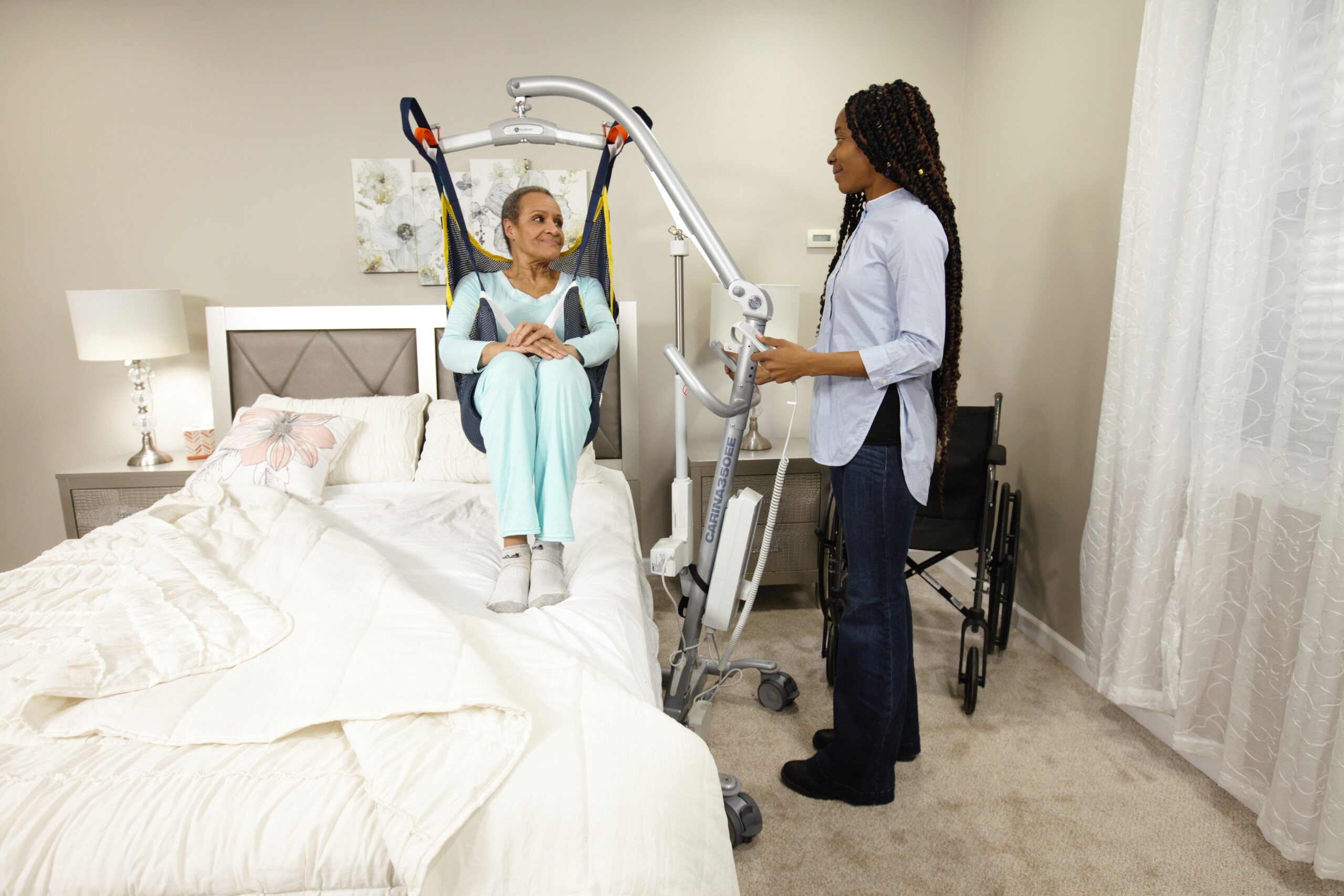
| Carina350EE | 60600009 | Yes |
| Carina350EE, low legs | 60600014 | Yes |
| Vega505EE | 60600003 | Yes |
| MiniLift160EM | 60300010 and 60300011 | Not listed |
| Carina350EM | 60600011 and 60600012 | Not listed |
The lifts we sell from those families are the MiniLift160EE, the MiniLift160EE with low legs, the MiniLift200, the Carina350EE and the Carina350EE with low legs. We also sell the manual builds, the MiniLift160EM and the Carina350EM, and this control is not listed for those. If that is what you have, call us on (905) 451-7743 and we will quote the right control rather than sell you one that will not do the job.
Eva owners, check with us first. The Eva series user manual lists this control in its accessories section. Direct Healthcare Group's own product listing does not name an Eva model against it. Because those two manufacturer sources differ, this page does not claim the Eva either way. Call us with your lift's article number and we will confirm it against Savaria before anything ships.
Handicare Hand Control HB33-6 specifications
| Specification | Hand control HB33-6 (70200089) |
|---|---|
| Brand | Handicare SystemRoMedic (Savaria Patient Care) |
| Model | HB33-6 |
| Manufacturer Code | 70200089 |
| Part Type | Hand control pendant for patient lifts |
| Buttons | Six |
| Indicators | Service, battery status and overload |
| Functions | Lift arm up and down, base widening open and close, plus fine adjustment of the arm |
| Attachment | Hook on the back of the control |
| Fits, MiniLift | MiniLift160EE (60300012 and 60300013), MiniLift200 (401100334), MiniLift125 (400641434) |
| Fits, Carina | Carina350EE (60600009 and 60600014) |
| Also Listed For | Vega505EE (60600003) |
| Not Listed For | MiniLift160EM builds 60300010 and 60300011, and Carina350EM builds 60600011 and 60600012 |
| Supplied As | One piece, with cord |
| Battery Information | Battery status is shown on the control |
Handicare does not publish a cord length, a connector type, an IP rating, a weight or a button force for this control, so none is claimed here. The connector has to match your lift's control box, which is why the page keeps asking for the lift's article number. If you need a figure for a facility record, ask us and we will request it from the manufacturer.
Two buttons, four buttons, six buttons
It is worth knowing where this control sits, because the button count is not a comfort feature.
- Two buttons is the standard control on a manual base-widening build. Up and down only, because the legs are opened by hand at the chassis.
- Four buttons is the standard control on an electrical base-widening build. Up, down, legs open, legs closed.
- Six buttons, HB33-6. The same driving functions plus fine adjustment of the arm, and the three indicators.
Handicare's MiniLift datasheets describe the standard control as having 2 buttons on EM builds and 4 on EE builds respectively, which is why HB33-6 appears in the accessory list of the EE lifts and not the EM ones.
Fitting it
Talk to us before you fit it. It is a control component on a medical device, and Handicare's position on its lifts is that repairs and maintenance may only be done by authorized personnel using original spare parts, with a thorough inspection at least once per year performed by authorized personnel in accordance with Handicare's service manual.
Our technicians can bring the control out on a service visit across Brampton and the GTA, fit it, and run the lift's functions afterwards: arm up and down, base open and closed, emergency stop, emergency lowering. Book through service and repairs or call (905) 451-7743.
Related lift parts
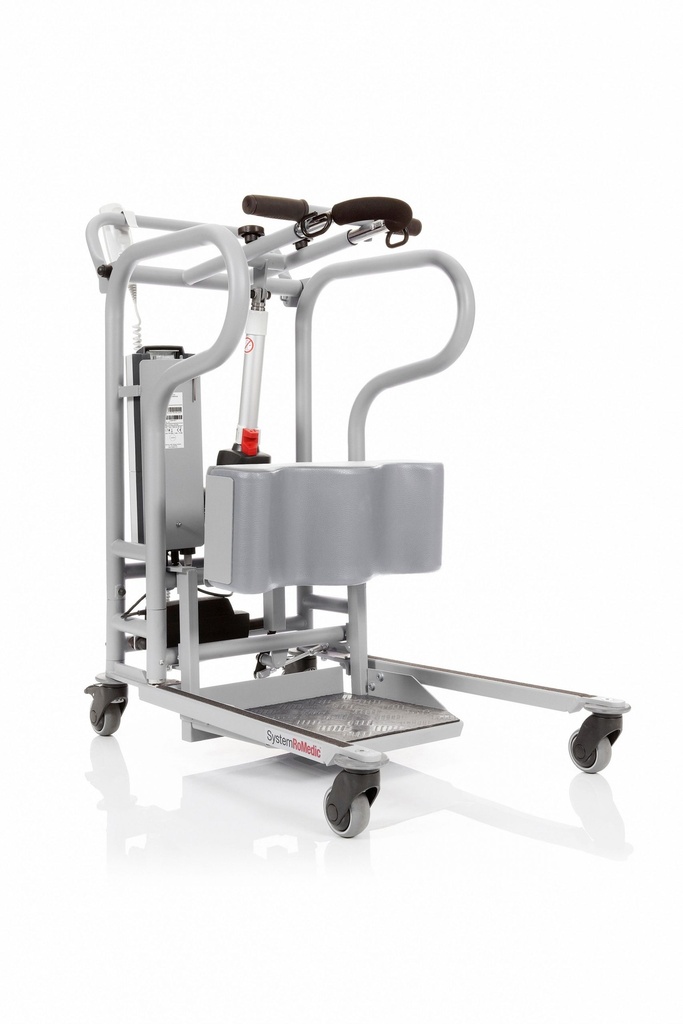
The other electrical part in this batch is the External Charger Linak, which lets a battery pack charge away from the lift. If the floor weighs residents on the lift, the Charder MHS2500 lift scale hangs between the lift arm and the sling bar, and the bars are the SlingBar range.
Other spare parts and lift hardware sit on the lift parts shelf. Standing aids are on the sit-to-stand lifts page and every lift we stock is on the patient lifts hub.
Delivery in Brampton and the GTA
Westin Healthcare ships this hand control across Canada and delivers it across Brampton and the Greater Toronto Area. Shipping terms are on the shipping policy, and any charge is confirmed on your order.
If our technicians already service your equipment, ask us to bring it on the next visit and fit it while we are there. Call (905) 451-7743 or book through service and repairs. You are also welcome to pick it up at our Brampton showroom.
Service, repairs, and warranty
When something on the equipment needs work, you call the shop that set it up, not an overseas parts desk. Westin Healthcare has a service and repairs department. Our technicians come to the home or workplace.
Handicare service and warranty position
Handicare requires that repairs and maintenance be done only by authorized personnel using original spare parts, and that the lift undergo a thorough inspection at least once per year, performed by authorized personnel and in accordance with Handicare's service manual. The service indicator on this control is a prompt for exactly that inspection.
No warranty year count is printed for the hand control in the documents Handicare publishes. Ask us for the terms that ship with your order and we will handle a claim with you.
If the lift will not respond to the control, Handicare's own troubleshooting list is worth running first: check that the emergency stop button is not pressed in, that all cables are properly and securely connected (pull the contact out and plug it in again firmly), that battery charging is not in progress, and that the battery is charged. If it still will not respond, book through service and repairs and we will come out.
Frequently asked questions
What are the six buttons?
Handicare describes the control as having buttons for raising and lowering the lift arm, for opening and closing the base widening, and for fine-tuning the position of the arm. That is the six-button layout: a four-button control does the arm and the base, and the extra pair on this one is the fine adjustment.
What do the indicators tell me?
Three things, and they are the reason to fit this control rather than a plainer one. Service tells you the lift is due for its inspection. Battery status tells you the charge state before a caregiver starts a transfer rather than during one. Overload tells you the lift has been asked to lift more than it is rated for.
Which lifts does it fit?
Direct Healthcare Group lists it for the MiniLift160EE codes 60300012 and 60300013, MiniLift200 (401100334), MiniLift125 (400641434), Carina350EE codes 60600009 and 60600014, and the Vega505EE (60600003). The Carina350 product folder prints the same restriction on its own lift: for 60600009 and 60600014. Tell us your lift's code and we will confirm it before anything ships.
Will it fit a manual base-widening lift?
It is not listed for one, and we will not claim it. Handicare's MiniLift160 datasheet restricts this control to 60300012 and 60300013, which are the two EE builds with electrical base widening; the EM builds 60300010 and 60300011 are not named. The Carina350 folder does the same, naming only the two EE codes. That makes sense, because two of the six buttons drive a base motor an EM lift does not have. If you have an EM lift, call us on (905) 451-7743 and we will quote the right control.
Is it listed for the Eva lifts?
The Eva series user manual lists it in its accessories section, as "Hand control HB33-6, article no.: 70200089, with service, battery status and overload indicator." Direct Healthcare Group's own product listing does not name an Eva model. Because those two sources differ, the page does not claim the Eva and asks Eva owners to check with us first. Call us with your lift's article number and we will confirm it against Savaria.
Does it come with a cord?
Yes. Handicare supplies the control with its cord, and the manufacturer photograph shows a coiled cord and a connector. The connector has to match your lift's control box, which is the other reason to confirm the lift code before ordering.
Where does the caregiver put it during a transfer?
On the hook. Handicare's listing notes a practical hook on the back so the control can be secured to the caregiver's wrist or hung on the lift. A pendant on the floor during a transfer is a pendant somebody rolls a castor over.
Can I fit it myself?
Talk to us first. It is a control component on a medical device, and Handicare's position on its lifts is that repairs and maintenance may only be done by authorized personnel using original spare parts. Our technicians can fit it on a service visit and test the lift's functions afterwards.
Does it change the weight rating of the lift?
No. The control is not a load-bearing part. What it does is tell you when the lift has been overloaded, which is a different and useful thing. The rating stays whatever the lift is rated at, and the lowest rating in the assembly of lift, bar and sling governs the transfer.
What does the service indicator actually count?
Handicare does not publish the counting rule for this control. What it does publish for its lifts is the requirement itself: a thorough inspection at least once per year, performed by authorized personnel and in accordance with Handicare's service manual. Treat the indicator as a prompt and book the inspection.
Is there a four-button version?
There is, and it is what most EE lifts ship with. Handicare's MiniLift datasheets describe the standard hand control as having 2 buttons on EM builds and 4 on EE builds. HB33-6 is the upgrade: same driving functions, plus fine adjustment and the three indicators.
Specifications
| Model | HB33-6 |
|---|---|
| Attachment | Hook on the back of the control |
| Manufacturer Code | 70200089 |
| Indicators | Service, battery status and overload |
| Functions | Lift arm up and down, base widening open and close, plus fine adjustment of the arm |
| Part Type | Hand control pendant for patient lifts |
| Supplied As | One piece, with cord |
| Fits, MiniLift | MiniLift160EE (60300012 and 60300013), MiniLift200 (401100334), MiniLift125 (400641434) |
| Fits, Carina | Carina350EE (60600009 and 60600014) |
| Also Listed For | Vega505EE (60600003) |
| Buttons | Six |
| Not Listed For | MiniLift160EM builds 60300010 and 60300011, and Carina350EM builds 60600011 and 60600012 |
| Battery Information | Battery status is shown on the control |
Documents
- All Forms and Documents Every form, brochure and document in one place.
Shipping and Delivery
We deliver and set up equipment across Brampton and the Greater Toronto Area. Our team brings the equipment in, sets it up and shows you how to use it.
Planning a rental? Rental equipment is delivered and picked up by our team within the same service area. Learn about rentals.
To schedule a delivery or ask about timing, call us at (905) 451-7743.
Questions about this product?
Talk to a local specialist today. We will help you find the right equipment and the funding to cover it.